

Watermark API · v1
Send a file's URL and a list of operations. The API processes the image, video or PDF in the background and hands you a link to the result.
curl -X POST https://api.watermark.ws/v1/images/process \
  -H "Authorization: Bearer $WATERMARK_API_KEY" \
  -H "Content-Type: application/json" \
  -d '{
    "source": "https://example.com/photo.jpg",
    "operations": [
      {"type": "resize", "width": 1600, "height": 1600},
      {"type": "watermark", "image_url": "https://example.com/logo.png", "x": 40, "y": 40}
    ],
    "output": {"format": "webp"}
  }'
$client = new \Watermark\Api\Client(getenv('WATERMARK_API_KEY'));
$request = $client->images->process('https://example.com/photo.jpg', [
['type' => 'resize', 'width' => 1600, 'height' => 1600],
['type' => 'watermark', 'image_url' => 'https://example.com/logo.png', 'x' => 40, 'y' => 40],
], [
'output' => ['format' => 'webp'],
]);# Waits for the result; add --no-wait to return as soon as it is queued.
watermark image process https://example.com/photo.jpg \
--op resize:width=1600,height=1600 \
--op watermark:image_url=https://example.com/logo.png,x=40,y=40 \
--format webp --out photo-watermarked.webpconst response = await fetch('https://api.watermark.ws/v1/images/process', {
method: 'POST',
headers: {
Authorization: `Bearer ${process.env.WATERMARK_API_KEY}`,
'Content-Type': 'application/json',
},
body: JSON.stringify({
"source": "https://example.com/photo.jpg",
"operations": [
{"type": "resize", "width": 1600, "height": 1600},
{"type": "watermark", "image_url": "https://example.com/logo.png", "x": 40, "y": 40}
],
"output": {"format": "webp"}
}),
});
const request = await response.json(); // { id: 1234, status: 'queued', … }import os, requests
request = requests.post(
"https://api.watermark.ws/v1/images/process",
headers={"Authorization": f"Bearer {os.environ['WATERMARK_API_KEY']}"},
json={
"source": "https://example.com/photo.jpg",
"operations": [
{"type": "resize", "width": 1600, "height": 1600},
{"type": "watermark", "image_url": "https://example.com/logo.png", "x": 40, "y": 40}
],
"output": {"format": "webp"}
},
).json() # {"id": 1234, "status": "queued", …}Every processing endpoint follows the same three steps, whatever the file.
The API checks the request and answers at once with 202 Accepted.
Poll the request, or pass webhook_url and get it posted to you when it finishes.
Follow the link in the finished request. Failed and aborted requests are free.
Operations chain in one request: resize, then watermark, then save as WebP.

Watermark every frame, resize, crop and rotate, saved as MP4. Or save one frame as an image.
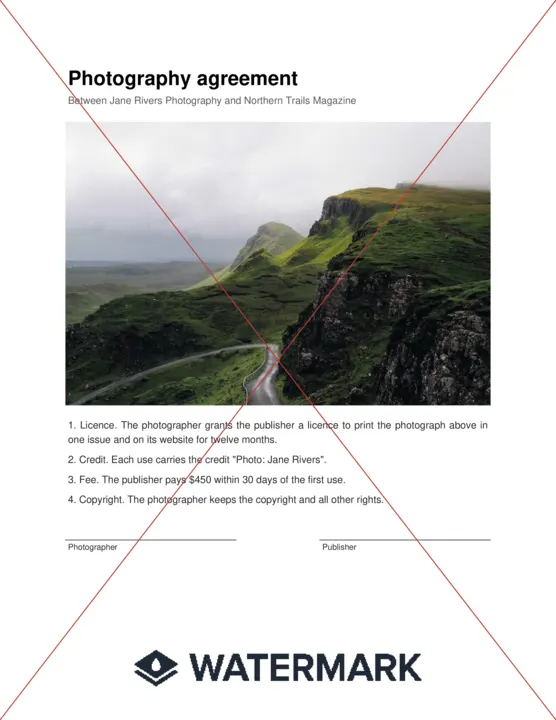
Stamp a logo on every page, with diagonal lines if you like. Or render one page as an image.
Call the API from PHP or a terminal. Both wait for the result and retry safely; any other language works over plain HTTP.
composer require watermark/watermark-php
Command line
For scripts, CI jobs and AI agents: --json output and exit codes that mean something.
npm install -g @watermark/cli
Any language
JSON over HTTP. Every endpoint in the reference has cURL, PHP and CLI examples, and the OpenAPI spec generates clients.
https://api.watermark.ws/openapi.json
Guides explain how the API behaves. The reference lists every field.
Prepaid credit. Failed and aborted requests are free, and so is everything run with a test key.
For AI agents
Add .md to any docs URL, or ask for text/markdown, and you get the page as plain Markdown that reads well in a terminal or a model's context.
curl https://api.watermark.ws/docs/webhooks.md

curl https://api.watermark.ws/docs/webhooks \
  -H "Accept: text/markdown"